We take AMD Phenom II X3 705e for example to show how to set unleashing mode enable 。
Part I ( unleashing mode disable)
First of all ,when use BIOS default setting ( unleashing disable ) , we can check the CPU information should be narmal X3 on POST screen , or check in device management & CPU-Z in ( Win XP) .
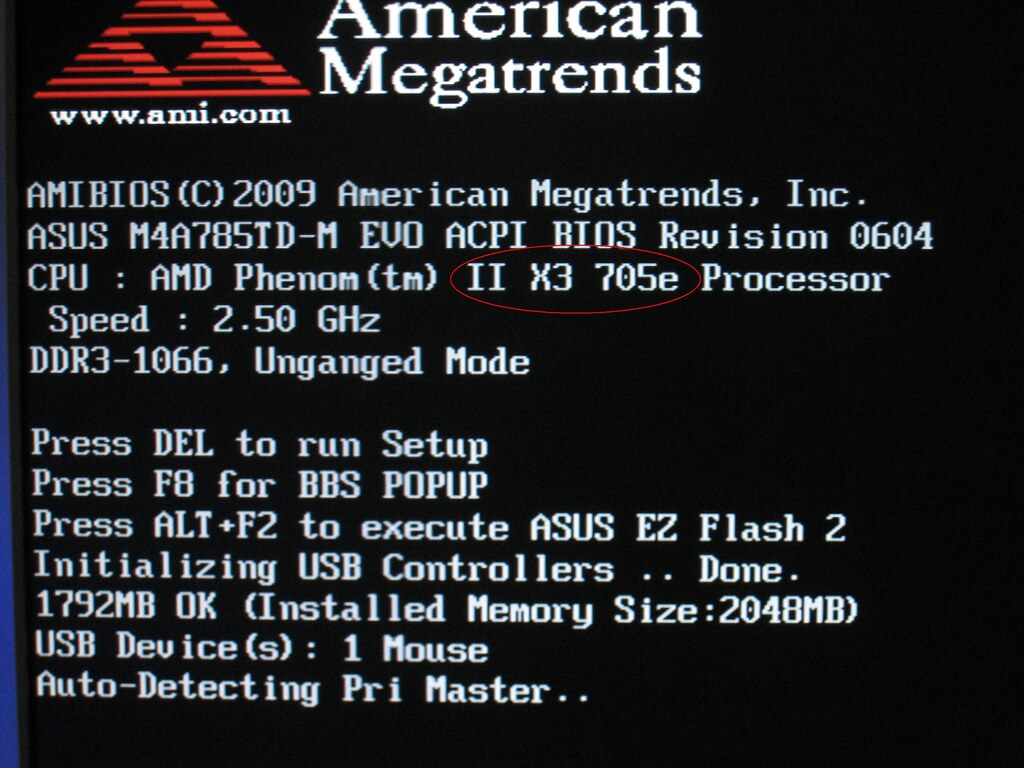

According to this setting , unleashing mode is disable( can check in BIOS setup options)
 Part II
 ( unleashing mode enable , ACC function enable)
First step to enable unleashing is to set Advanced Clock Calibration enable .
Enter into BIOS setup---------Advanced------------ Advanced Clock Calibration ,set Advanced Clock Calibration to AUTO ,set Unleashing Mode to enable ( but CPU still be 3 cores at the moment)。
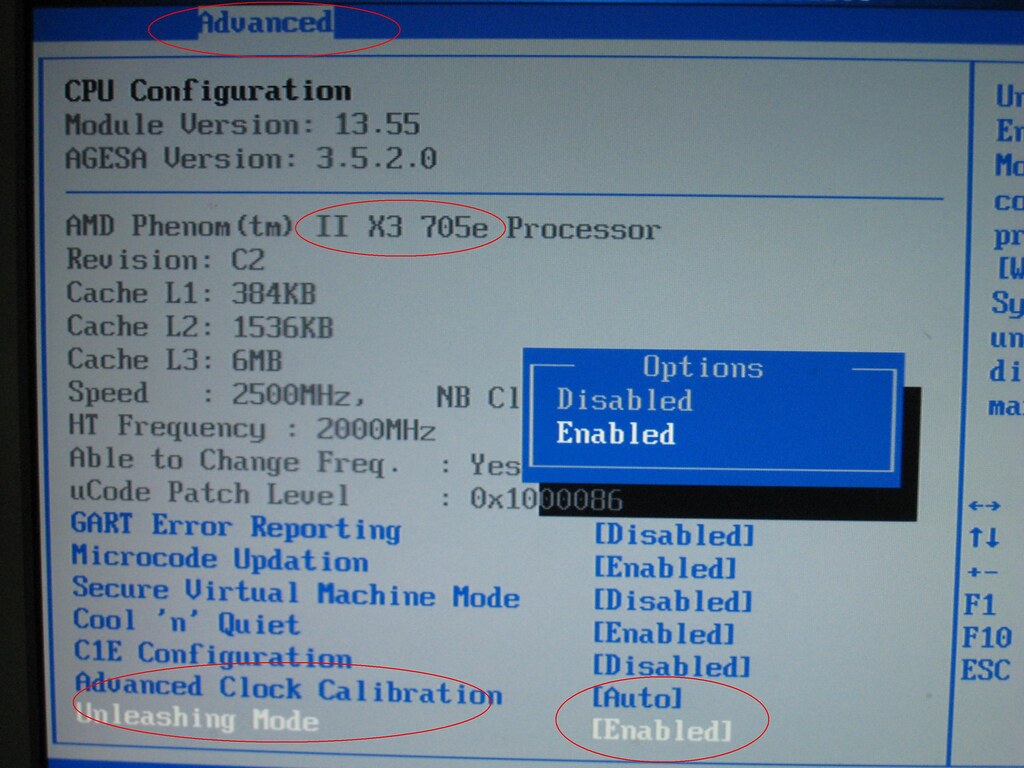
After setting ,press F10 to Exit & Save Change . Reboot to POST
Screen , check CPU information again ,will see , CPU become tobe a 4 cores CPU :

Check in BIOS ,make sure unleashing mode has been enable(CPU has change to 4 cores)

Enter the OS , check CPU information by Devices Management , CPU-Z ,
To double confirm unleashing mode enable successfully .

So that , the ACC function, unleashing mode has been enable 。