|
Master Member
|
 NVidia VS ATi
資料來源 :
HERE
Here's a wonderful XbitLabs article comparing the X1950XTX against the 7950GX2 at "equal" image quality settings and also at highest quality image settings.
XBIT LABS
This is one of the best video comparison articles I have seen in a long time!
The reason why I said "equal" is because most website hardware reviewers still benchmark Nvidia cards at only the default "Quality" Image settings, which is sub-par to ATI's image quality. ATI's cards do not display the texture shimmering or noise that is very distracting and noticeable (almost as bad as screen tearing!) on Nvidia cards at default settings.
So, for high-end card comparisons, it is a logical requirement that we start testing Nvidia cards only at "High Quality" Image settings. The performance penalty can be as great as 30-40% for Nvidia in some games such as Battlefield 2 and UT2004, but not so bad in other games. It actually causes the 7950GX2 to score lower than the X1950XTX in 3DMark06!
Nvidia has gotten away with unfair comparisons to ATI's cards for a couple of years, and it is time that we bring light to this, and put an end to this. Now that the G80 and R600 are due to be released shortly, it is probably not going to continue since there is tremendous pressure on Nvidia to implement High Quality Anisostropic Filtering once again, just like with ATI's X1xxx series. The ugly thing is that Nvidia has largely gotten away with it while only a few people noticed this unfair advantage with optimizations over the past year or so. Consequently, many of us suffered texture shimmering/noise.
After changing the Nvidia settings to "High Quality" image settings in order to get rid of the horrible shimmering, I noticed that with my 7900GTX I had to lower the settings from TR Supersampling AA down to TR Multisampling AA on many of the newer games at 1920x1200 while on my X1900XTX nearly all of the games were smoothly playable with Quality Adaptive AA without having to lower it to Performance AAA.
If you want to see how bad the texture shimming is at default settings on Nvidia cards compared to ATI, here's a link for this Battlefield 2 video clip download:
EDIT: http://www.filefactory.com/file/5aeee2/
(after clicking on the above link, scroll down to where you see "download for free with filefactory basic" then click on it.)
or you could check out other comparison video clips from Xbitlabs:
XBIT LABS
Enjoy!
__________________
  Powered Up By :
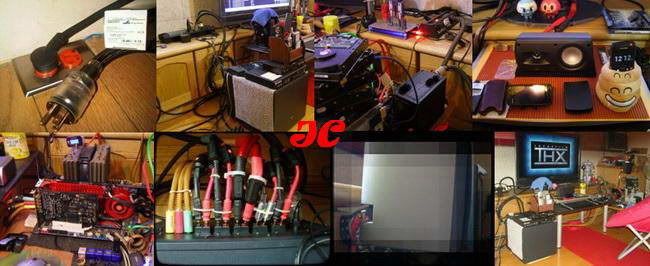

CPU : Intel(R) Core™ Xeon(R) Westmere-WS Processor 32nm W3690 @4.6GHz + Thermalright IFX-14
MB : ASUS [ROG] Rampage III Formula
RAM : SΛMSUNG DDR3-1333 2G*3 @DDR3-1600
VGA : NVidia Quadro™ 5000 + KC 純銀 DVI-D
HDD : WD VelociRaptor S-II 16M 300Gb 10krpm, SΛMSUNG SSD 128Gb, WD S-II 1Tb, Seagate S-II 320Gb, Hitachi S-II 750Gb, WD 250Gb<USB3.0>, JM SSD 64Gb
PSU : AcBel PC7052 900W 80Plus Silver + KC 鍍銀動力版電源線 + Cooper Hospital Grade銅公母插
BD/DVD ± RW : HL BH30L(BD-RE) / Pioneer DVR-A11FXB
Sound Card :  SB X-Fi SB X-Fi  Xtreme Music CAPS MODS Xtreme Music CAPS MODS 
KB & Mouse & WebCAM : Logitech(R) diNovo & MX-Revolution & QuickCAM Sphere
OS : Windows XP Pro x86 SP3(EN)
Decoder : NeoCinema S-48 (SOLD)
Speakers :  ProMedia 5.1 ULTRA + KC 鍍銀動力版電源線 + 4N高純度紫銅公母插 + 不鏽鋼鍍鉻避震器角錐 + 印度大花黑金石 ProMedia 5.1 ULTRA + KC 鍍銀動力版電源線 + 4N高純度紫銅公母插 + 不鏽鋼鍍鉻避震器角錐 + 印度大花黑金石
Cables : KC Twin Balance 純銀 Analog Cables + TDK 濾波環, <KC 7N 5760芯 鍍銀混銅 BiWire + 濾波環 for Center & KC 6N PC-OFC 4芯 BiWire 喇叭線 + TDK 濾波環 for L,R,RL,RR> + 24K鍍金鍍鉻針型香蕉插
Display : <16:9> BENQ "PQ4242" 120Hz 1080p FULL-HD 24p RealCinema + KC 純銀電源線 + 圓剛 Volar HX USB TV
Power Line Filter : (Monster Power PRO-1000 Professional PowerCenter & Castle OH-T8B/VF) + Cooper IG8300RN 壁插
Wireless Broadband Router : Buffalo Wireless-N Nfiniti WHR-G300N
|