
|
PCDVD數位科技討論區
(https://www.pcdvd.com.tw/index.php)
- 系統組件
(https://www.pcdvd.com.tw/forumdisplay.php?f=19)
- - 羅技發表兩款傾斜滾輪滑鼠 Logitech Cordless Click! (Plus) Optical Mouse
(https://www.pcdvd.com.tw/showthread.php?t=357952)
|
|---|
羅技發表兩款傾斜滾輪滑鼠 Logitech Cordless Click! (Plus) Optical Mouse
喜歡收集老鼠的松鼠注意啦! :D
繼微軟S+ACK後,羅技也不甘示弱的在"鼠輩界"發表新鼠: 今天(7/16)剛在Pc Watch上面看到的,羅技也發表了具有傾斜滾輪技術的小滑鼠, 一共有兩款,分別是Cordless Click! Optical Mouse 與 Cordless Click! Plus Optical Mouse。有USB與PS/2兩種連接方式,利用27MHz無線電傳輸。 Cordless Click! Optical Mouse (CLK-C51BK) 黑色版,定價4180日圓  (CLK-C51BL) 藍色版,不知道為什麼照這個角度?強調光很強嗎? :p  (CLK-C51WH) 白色版  Cordless Click! Plus Optical Mouse (CLK-C71),定價5280日圓  隱約透著金屬光澤的質感,嘩! 通用的接收器 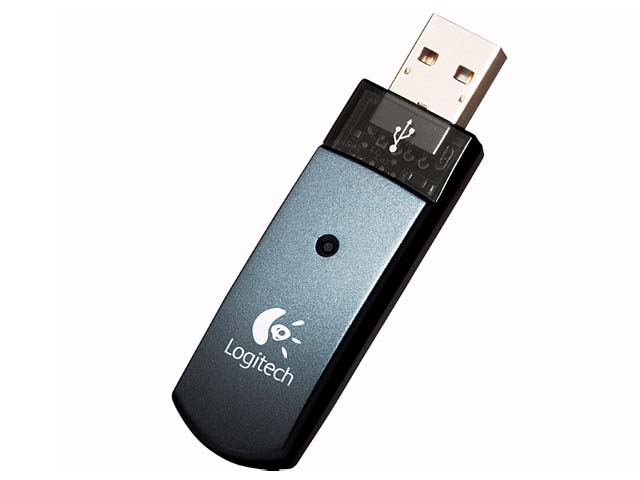 圖片來源:PC Watch (因為他們圖片的size比較剛好,羅技原廠的圖很大,有興趣 的可以再連去看看) http://pc.watch.impress.co.jp/docs/...16/logicool.htm 日本羅技原廠網頁 http://www.logicool.co.jp/press/press_148.html http://www.logicool.co.jp/press/press_147.html 感謝收看 :) |
不知道台灣有沒有丫
口水流.................... |
英文網站也有了,下面是他的特點,英文還是比較好懂: :D
Logitech® Cordless Click!™ Plus Optical Mouse 1. Fast RF cordless technology delivers the responsiveness and accuracy of a corded device... but without the clutter 2. Advanced optical sensor delivers smooth, trouble-free operation Striking silver and blue create a stunning design that adds style to any desktop 3. Sculpted shape conforms to your right hand 4. Handy Quick Switch button lets you zip back and forth between open documents 5. Convenient Internet forward and back buttons let you flip through web pages without moving your mouse 6. Fingertip scroll wheel lets you easily navigate through long documents without having to move your mouse an inch 7. Use six pre-programmed buttons, or customize them yourself with Logitech MouseWare® software 9. Five-year warranty 新的無線傳輸技術號稱可以與有線滑鼠匹敵的精準度與靈敏度。 不同角度的圖片:   圖片與文字來源:羅技官方網站 http://www.logitech.com/index.cfm/p...,CONTENTID=6907 http://www.logitech.com/index.cfm/p...,CONTENTID=6908 謝謝觀賞 |
印象中 微軟的滑鼠有出左右能移動的滾輪
但 聽說 聽說風評不好! 不好使用的樣子! 不知道羅技這款… 好不好用 |
看子來不會很好握的感覺
第一隻 頭間間的~~~~ |
引用:
沒錯~我覺得微軟那款 很不好用 傾斜滾輪的部份不是很順暢:jolin: 尤其中間滾輪按鍵 會因為這樣的設計而不好按:( 應該還有蠻大的進步空間 倒是羅技也插一腳 可是好像還沒把這項技術放到高階滑鼠上面 難道還是要先試探市場 倒是十分期待它的表現 :agree: |
Cordless Click那一版的我的是沒有左右滾倫的
但是兩者外型幾近一樣 總覺得小拇指和無名指的負擔很大,這兩隻指頭所能放的位子總覺得 設計不良 其實用過很多隻羅技的滑鼠 發現有個共通點:小拇指放置的方式會導致酸痛 也許是我的手有問題拉... 不過我覺得能像微軟的滑鼠一樣小拇指能有個放置的地方托著 羅技的滑鼠,小姆指不是緊貼著滑鼠測邊,就是得擦桌面 |
微軟的那隻滾論沒有刻度
玩天堂按中鍵時很麻煩 一不小心就會按錯 不知道羅技這支的滾輪有沒有刻度 |
引用:
+1 不是你的手有問題,我也這麼覺得 不管是MX310或是 MX500我都這麼覺得.... 這隻: 他右邊的凹槽比MX310圓滑且稍大一點,比較好放~ 在賣場握過,手感真的不錯!! |
引用:
羅技這次倒成了追隨者:p |
| 所有的時間均為GMT +8。 現在的時間是03:02 AM. |
vBulletin Version 3.0.1
powered_by_vbulletin 2026。