
|
PCDVD數位科技討論區
(https://www.pcdvd.com.tw/index.php)
- 顯示卡討論區
(https://www.pcdvd.com.tw/forumdisplay.php?f=8)
- - NVIDIA GeForce Game Ready Driver 591.86 WHQL
(https://www.pcdvd.com.tw/showthread.php?t=1217423)
|
|---|
NVIDIA GeForce Game Ready Driver 591.86 WHQL
GeForce Game Ready Driver
版本編號: 591.86 (r590_00-203) 發佈日期: 2026年1月27日 作業系統: Windows 10 / 11 (僅x64的DCH版) 支援語系: 多國語言版 發行重點 • 為最新遊戲與更新提供DLSS 4技術的最佳遊戲體驗。 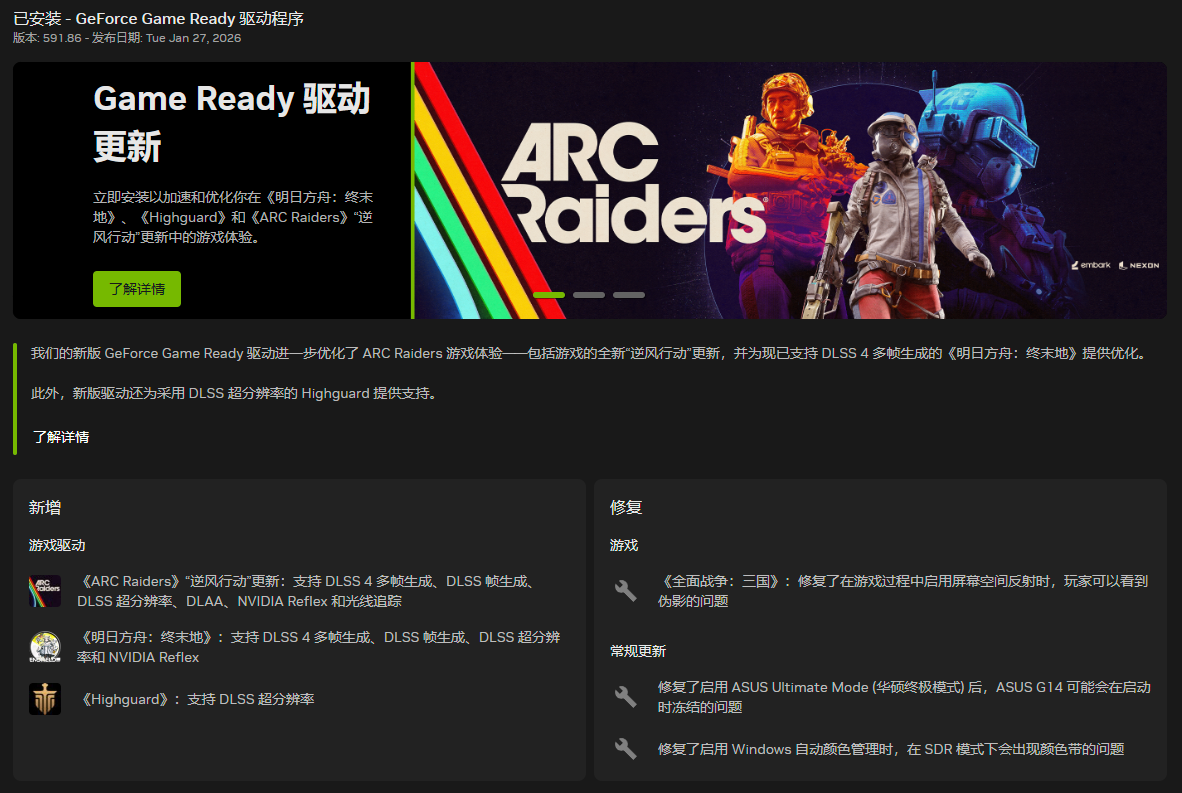 遊戲支援。 • 為ARC Raiders: Headwind(弧光襲擊者:逆風)、Arknights: Endfield(明日方舟:終末地)提供DLSS 4技術的最佳遊戲體驗。 • 為Highguard(高嶺鐵衛)提供DLSS Super Resolution(DLSS超解析度)的技術支援。  驅動元件: R591.86 (r590_00-203) / 32.0.15.9186 (1-20-2026) HD Audio 1.4.5.7 Vulkan API 1.4.325 OpenGL 4.6 OpenCL 3.0 CUDA 13.1.123 APP 11.0.6.383 PhysX 9.23.1019 USBC 1.52.831.832 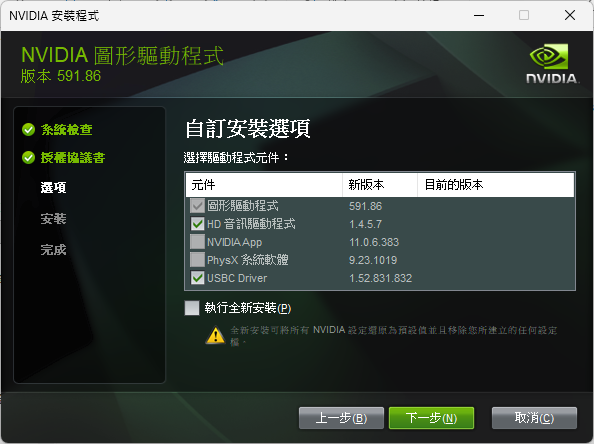 驅動核心編號對照表: R591.86 WHQL (r590_00-203) R591.74 WHQL (r591_66-4) R591.67 Hotfix (r591_47-7) 此版已修復的遊戲問題: • Total War: Three Kingdoms: Artifacts(全軍破敵:三國):啟用螢幕空間反射之後,可能會在遊戲過程中觀察到偽影。[5745647] 此版已修復的一般問題: • 啟用Windows自動色彩管理時,SDR內容可能會出現顏色條紋現象。[5754551] • Asus G14電競筆電:啟用Asus Ultimate Mode(華碩終極模式)時,可能會在啟動時凍結。 未解決的已知問題: • Call of Duty: Modern Warfare(決勝時刻:現代戰爭):驅動程式更新後圖像損壞。[5733427] 此版驅動程式的更新文件: (英文) 資訊來源網頁 此版驅動程式的官方討論串: (英文) 資訊來源網頁 驅動程式問題的回報窗口: (建議使用英文填寫,或是利用谷歌翻譯先將您的回答轉換成英文) 資訊來源網頁 下載網頁: Win10&Win11-64bit (DCH版) Win10&Win11-64bit (Notebook;DCH版) 下載檔案: Win10&Win11-64bit (DCH版) Win10&Win11-64bit (Notebook;DCH版) 產品支援清單: GeForce RTX 50 系列 GeForce RTX 5090 D v2, GeForce RTX 5090 D, GeForce RTX 5090, GeForce RTX 5080, GeForce RTX 5070 Ti, GeForce RTX 5070, GeForce RTX 5060 Ti, GeForce RTX 5060, GeForce RTX 5050 GeForce RTX 40 系列 GeForce RTX 4090 D, GeForce RTX 4090, GeForce RTX 4080 SUPER, GeForce RTX 4080, GeForce RTX 4070 Ti SUPER, GeForce RTX 4070 Ti, GeForce RTX 4070 SUPER, GeForce RTX 4070, GeForce RTX 4060 Ti, GeForce RTX 4060 GeForce RTX 30 系列 GeForce RTX 3090 Ti, GeForce RTX 3090, GeForce RTX 3080 Ti, GeForce RTX 3080, GeForce RTX 3070 Ti, GeForce RTX 3070, GeForce RTX 3060 Ti, GeForce RTX 3060, GeForce RTX 3050 GeForce RTX 20 系列 GeForce RTX 2080 Ti, GeForce RTX 2080 SUPER, GeForce RTX 2080, GeForce RTX 2070 SUPER, GeForce RTX 2070, GeForce RTX 2060 SUPER, GeForce RTX 2060 NVIDIA TITAN 系列 NVIDIA TITAN RTX GeForce 16 系列 GeForce GTX 1660 SUPER, GeForce GTX 1650 SUPER, GeForce GTX 1660 Ti, GeForce GTX 1660, GeForce GTX 1650, GeForce GTX 1630 GeForce RTX 50 系列 (Notebooks) GeForce RTX 5090 Laptop GPU, GeForce RTX 5080 Laptop GPU, GeForce RTX 5070 Ti Laptop GPU, GeForce RTX 5070 Laptop GPU, GeForce RTX 5060 Laptop GPU, GeForce RTX 5050 Laptop GPU GeForce RTX 40 系列 (Notebooks) GeForce RTX 4090 Laptop GPU, GeForce RTX 4080 Laptop GPU, GeForce RTX 4070 Laptop GPU, GeForce RTX 4060 Laptop GPU, GeForce RTX 4050 Laptop GPU GeForce RTX 30 系列 (Notebooks) GeForce RTX 3080 Ti Laptop GPU, GeForce RTX 3080 Laptop GPU, GeForce RTX 3070 Ti Laptop GPU, GeForce RTX 3070 Laptop GPU, GeForce RTX 3060 Laptop GPU, GeForce RTX 3050 Ti Laptop GPU, GeForce RTX 3050 Laptop GPU GeForce RTX 20 系列 (Notebooks) GeForce RTX 2080 SUPER, GeForce RTX 2080, GeForce RTX 2070 SUPER, GeForce RTX 2070, GeForce RTX 2060, GeForce RTX 2050 GeForce MX500 系列 (Notebooks) GeForce MX570, GeForce MX550 GeForce MX400 系列 (Notebooks) GeForce MX450 GeForce GTX 16 系列 (Notebooks) GeForce GTX 1660 Ti, GeForce GTX 1650 Ti, GeForce GTX 1650 |
此驅動是因為Highguard(高領鐵衛)將於1/27在Steam平台上架,而驅動核心也從R591降版回到R590。 :flash:
以下請自行測試;這版驅動我設定了DLSS的M模式,以及超解析度的效能模式之後,我2060的FF14跑分硬是暴漲了一千多分(附圖),感覺還不錯。 :D FF14跑分測試中的DLSS設定未開啟: (預設值) .png) FF14跑分測試中的DLSS設定開啟後: .png) |
這版驅動好像增加了適配ARC和明日方舟的DLSS4 X5~X6多幀生成
沒有遊戲可以測試有無 有玩這些遊戲的板友可以測試看看 |
搗鼓了二天,測試截圖已經一堆,索性直接寫成一篇DLSS的教學文: :laugh:
[簡易教學]FFXIV Dawntrail Benchmark的DLSS設定方法及跑分實測! (以591.86驅動為範例) |
稍早查詢了一下
GT 1030 有最新GRD 582.28 x64 可能的話 勞煩mhp大開個箱 謝謝。 |
有人說溫度變高了,但現在天氣超冷,所以看不出來。
我只知道這樣調整之後,若FF14的DLSS設定正確,跑分是提升13~14%,而在預設值下則是降低4~5%。(13700 vs 11400,基準分數是12000) 引用:
我去看看,不然10系列現在只能用VK驅動。 :ase |
在 5070Ti 上用了 2 天,至少先前螢幕暗一下再亮起的問題不再出現 |
官方確認,新驅動程式將在《惡靈古堡:安魂曲》發售當天(2026年2月27日)推出;新驅動已修復G-SYNC和V-SYNC的幀生成的時序問題。 :ase
|
| 所有的時間均為GMT +8。 現在的時間是01:20 AM. |
vBulletin Version 3.0.1
powered_by_vbulletin 2026。